Patterns that repeat.
Perfectly.
Frame a part of any photo or drawing, arrange cut-outs and library motifs, or marble a tray of colour, pick a repeat, and export a seamless tile, a print-size sheet or a whole scarf. Made from your own images, so it’s yours to sell.
Free to start · No card needed · Runs in your browser
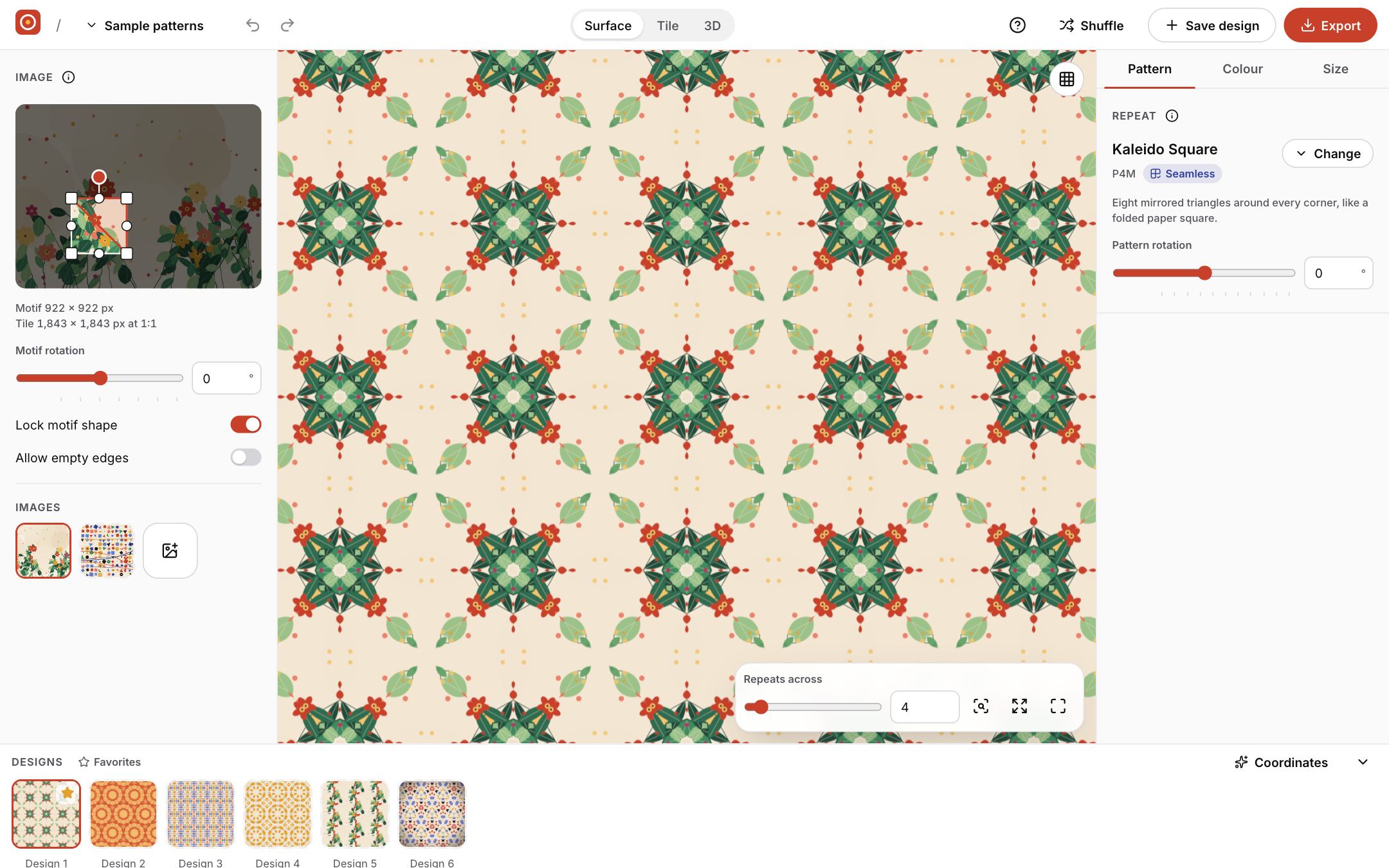
One tile. Endless pattern.
Crafty turns your motif into one seamless tile. Repeat it as far as you like: there is never a visible edge.
Sellers, textile designers and everyone in between.
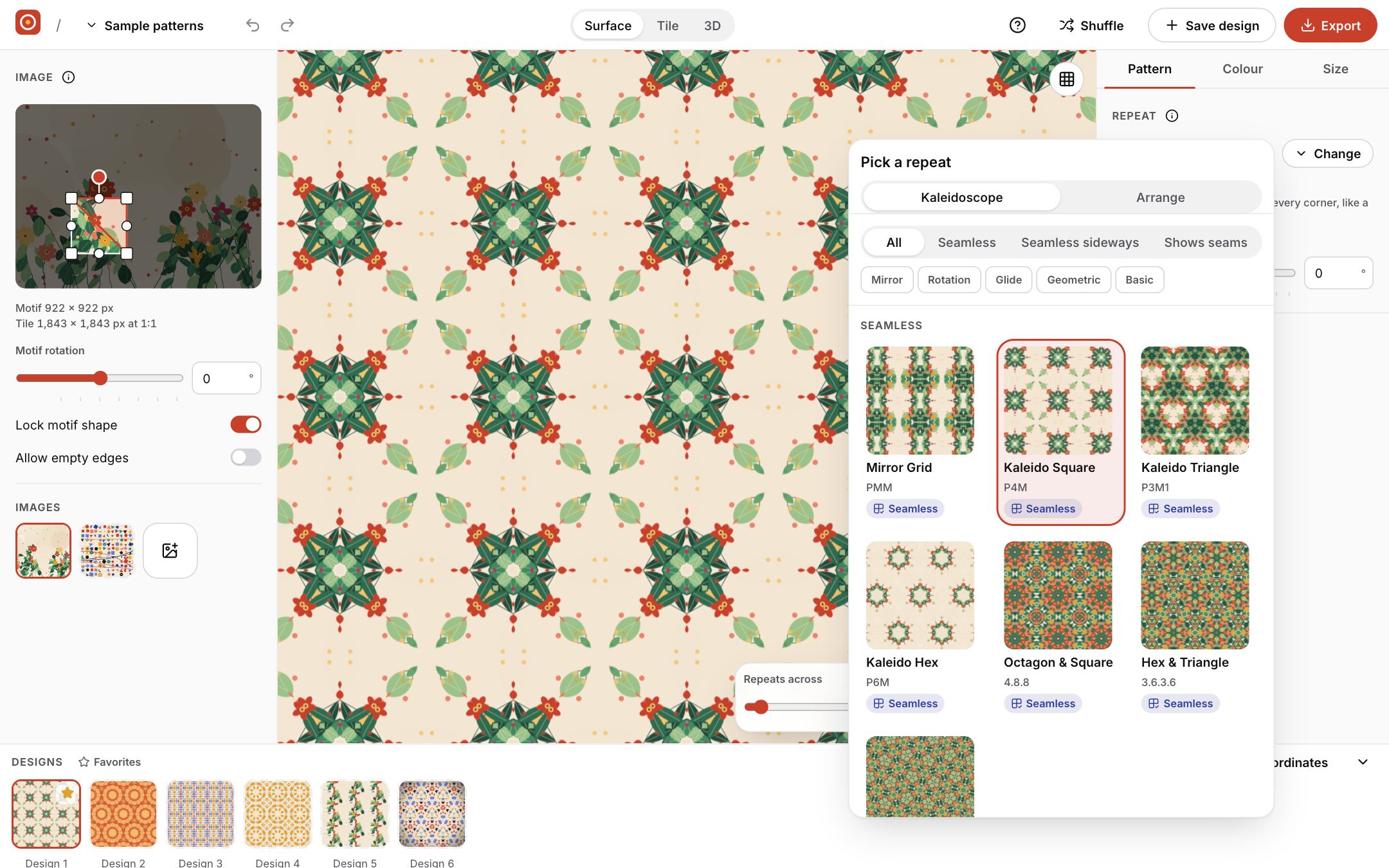
A new project asks what you are making and sets up the units, sizes and export choices to suit. You can change it any time; every tool stays available.
Digital paper sellers
Collections in matching colourways, packs that fit Etsy’s upload limits with terms for your buyers, and listing photos and mock-ups made for you.
Goal: Digital paper
Textile and surface designers
Repeat sizes in centimetres or inches, colourways, inks and separations, spec sheets, TIFF and layered PSD.
Goal: Fabric · Screen or rotary print · Wallpaper
Everyone else
Cushions, gift wrap, phone wallpapers: pick a look, recolour it, and export. Every tool explains itself.
Goal: Just exploring
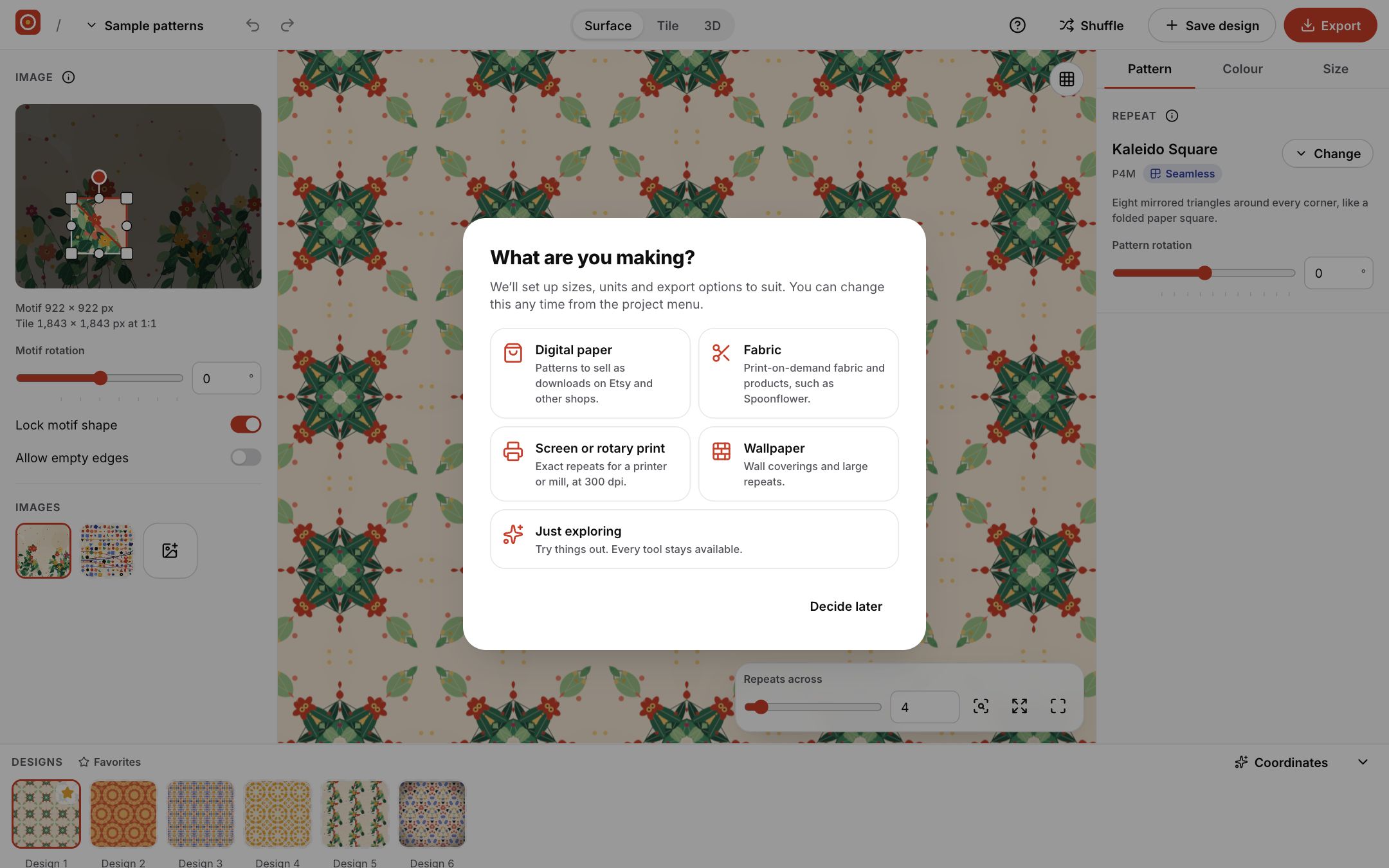
Start from any part of your image.
Drag a frame over a flower, a brush stroke or a texture. The part that repeats is outlined, so you always see exactly what you’ll get.
- PNG, JPEG, WebP, HEIC, AVIF and SVG, transparency kept
- Move, scale and rotate the motif, with live preview
- Paste or drop images straight into the editor
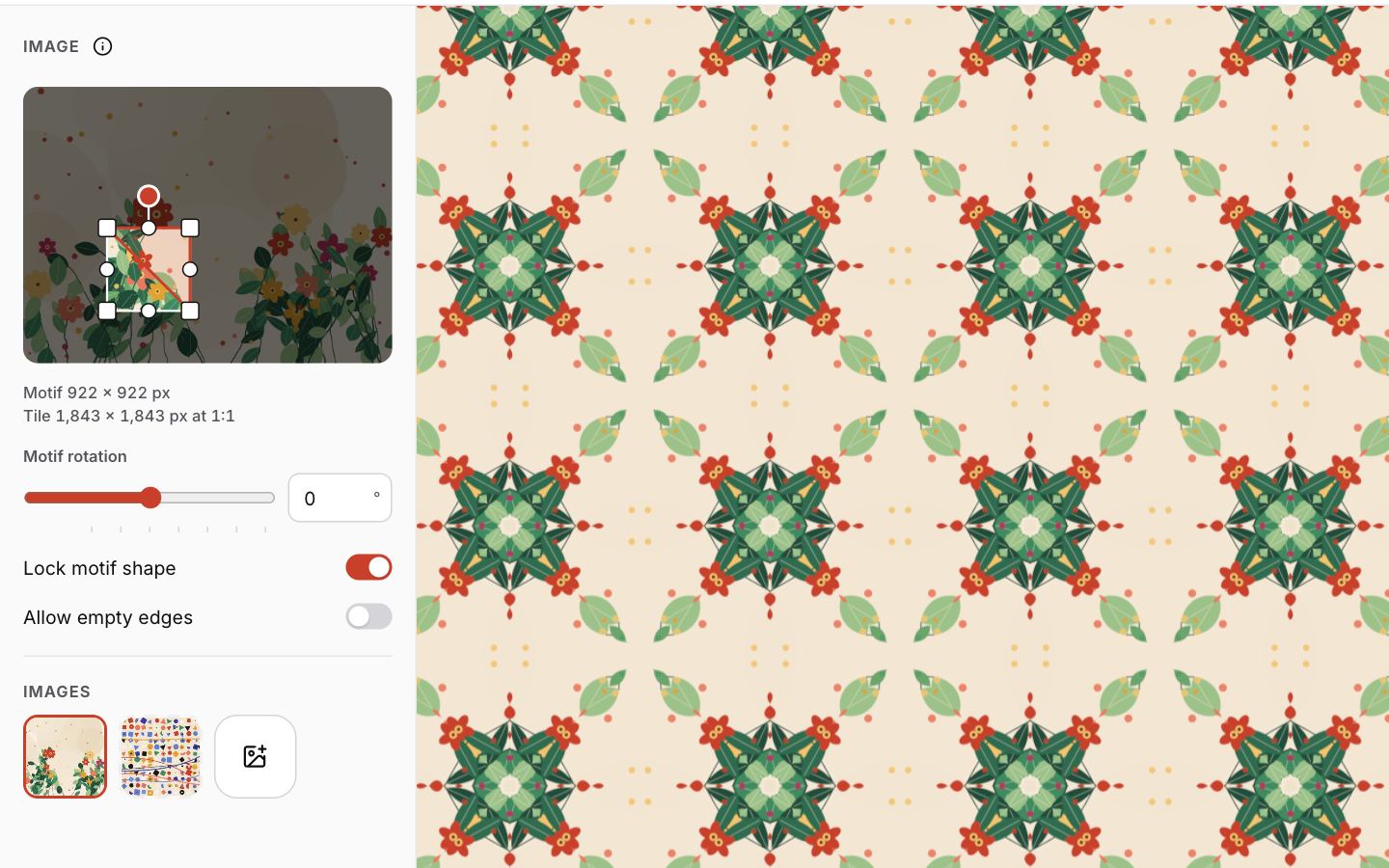
27 repeats. Every one live.
Mirrors, rotations, glides, half-drops and geometric tilings, each previewed with your own image before you choose.
- All 17 wallpaper symmetry groups
- Half-drop, half-brick (2:1, 3:1, 4:1), herringbone, basketweave, ogee and Damask
- Two-motif mode for 4.8.8 and 3.6.3.6 tilings
- Seam labels: Seamless, Seamless sideways, Shows seams
Toss, pack and stripe your own motifs.
Cut lemons, blossoms or bows out of your images, or add ready-cut ones from the library, and let Crafty lay them out on a seamless tile.
- Six layouts: Grid, Brick, Half-drop, Tossed, Packed and Stripe
- Background removal, splitting a sheet into motifs, brush and lasso refine
- Size, turn, opacity and frequency ranges per motif; New arrangement in a click
- Layers: big blooms tossed over a ditsy, each layer with its own layout
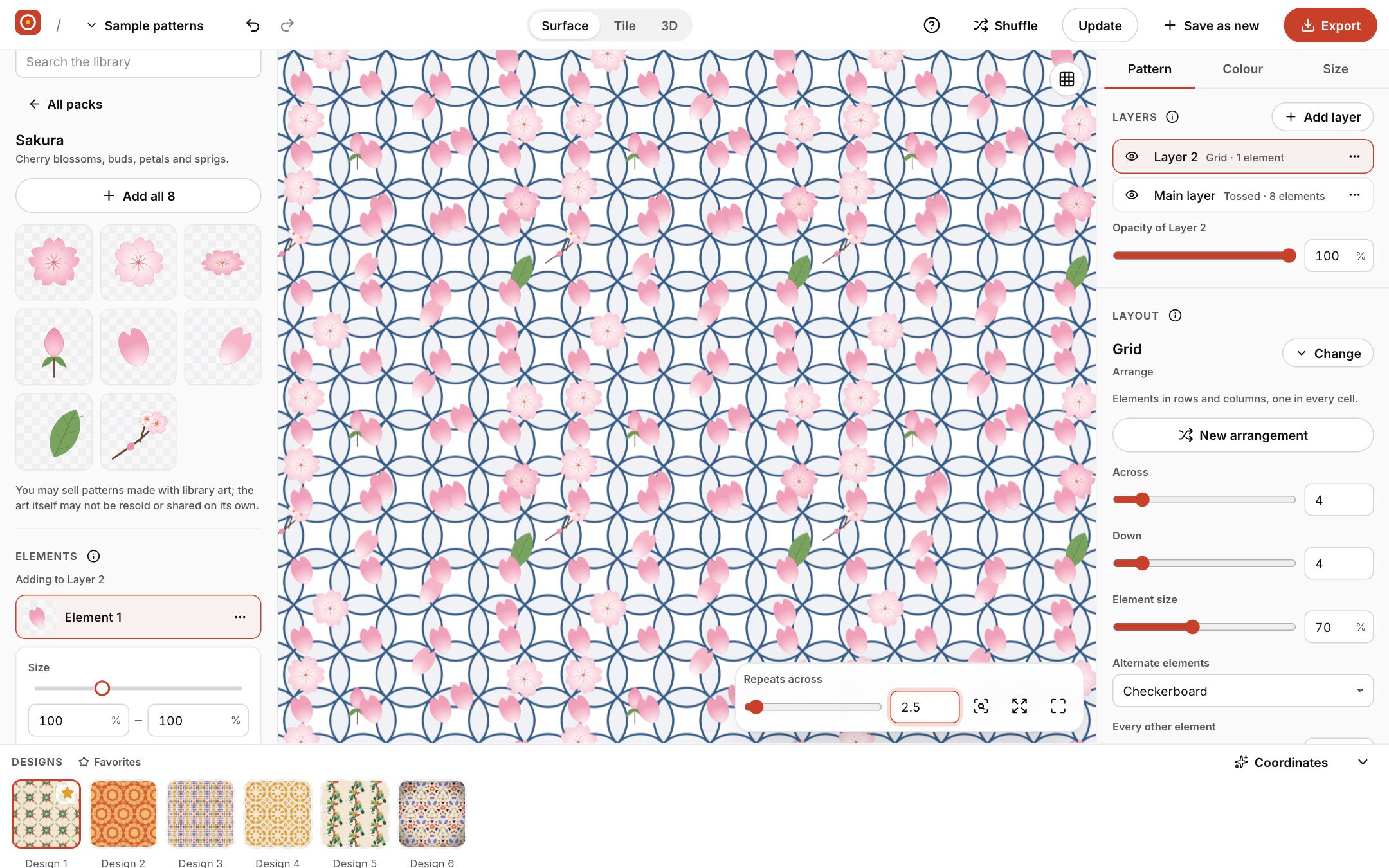
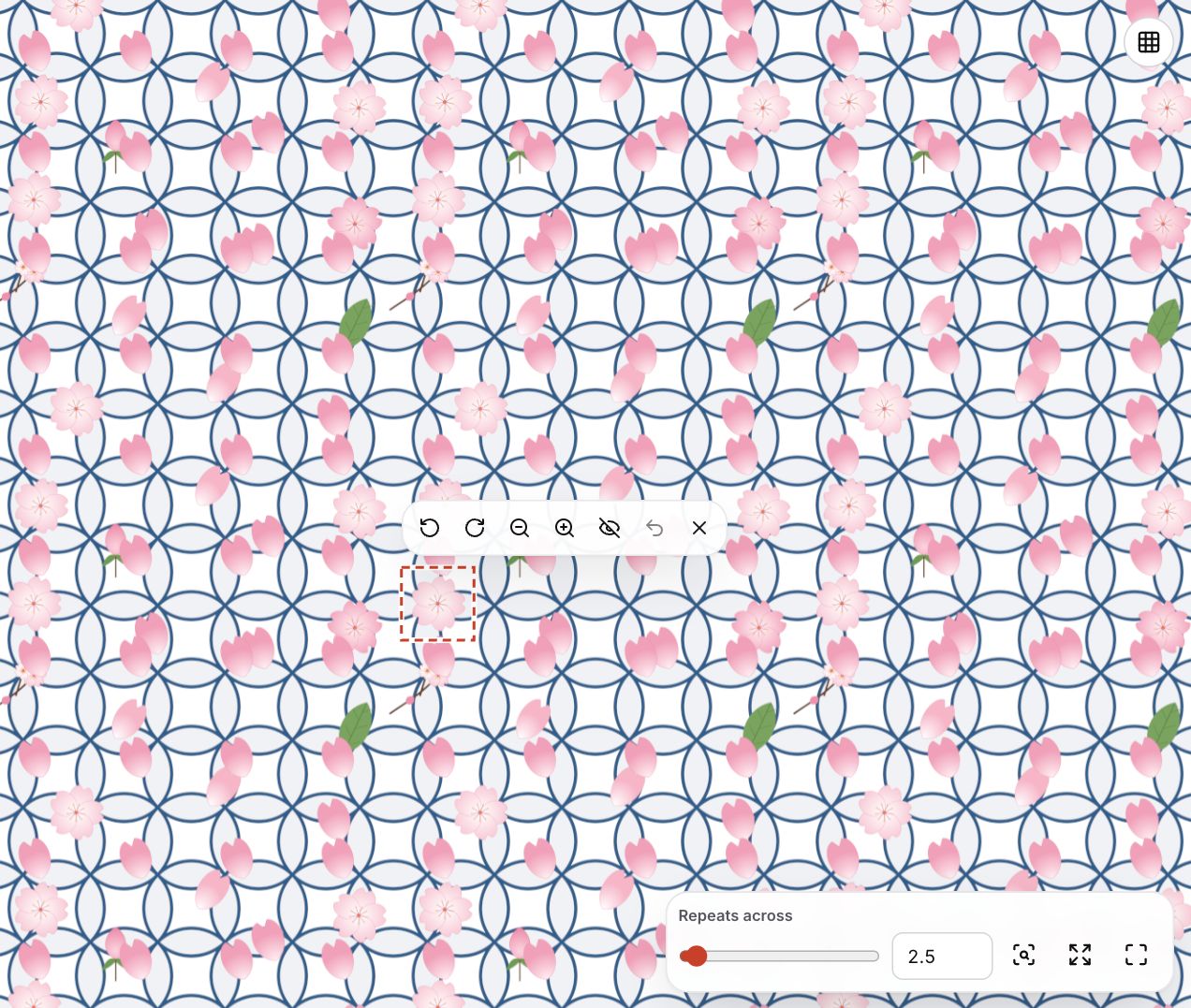
Move the one that’s in the wrong place.
Click any motif on the canvas to pick it. Drag it, nudge it with the arrow keys, turn it, resize it or hide it. The layout stays as it is.
- Works across the tile edge, so the tile stays seamless
- A count of hand changes with Reset all; every change undoable
- Check seams: a tile corner in the middle, with the grid
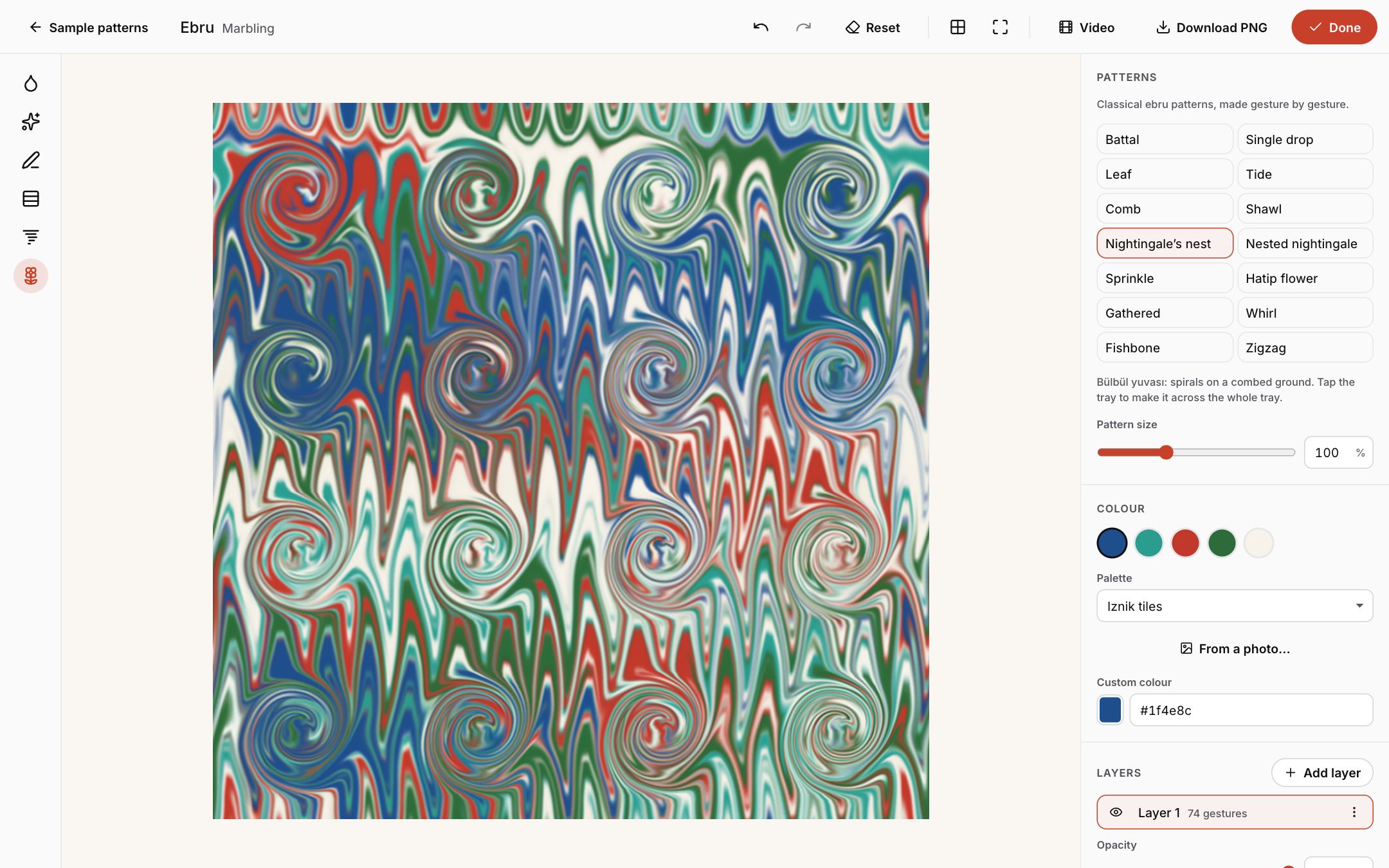
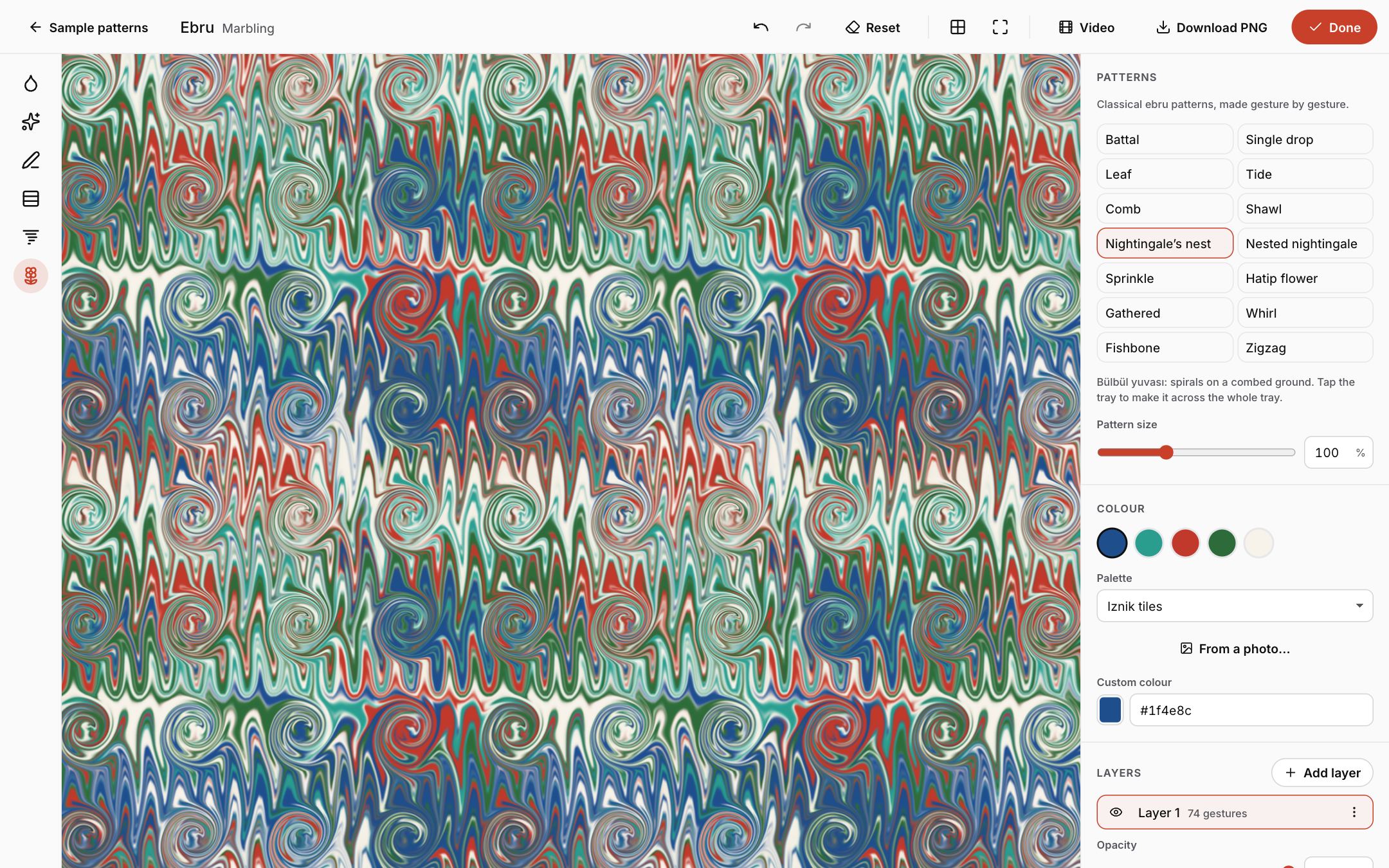
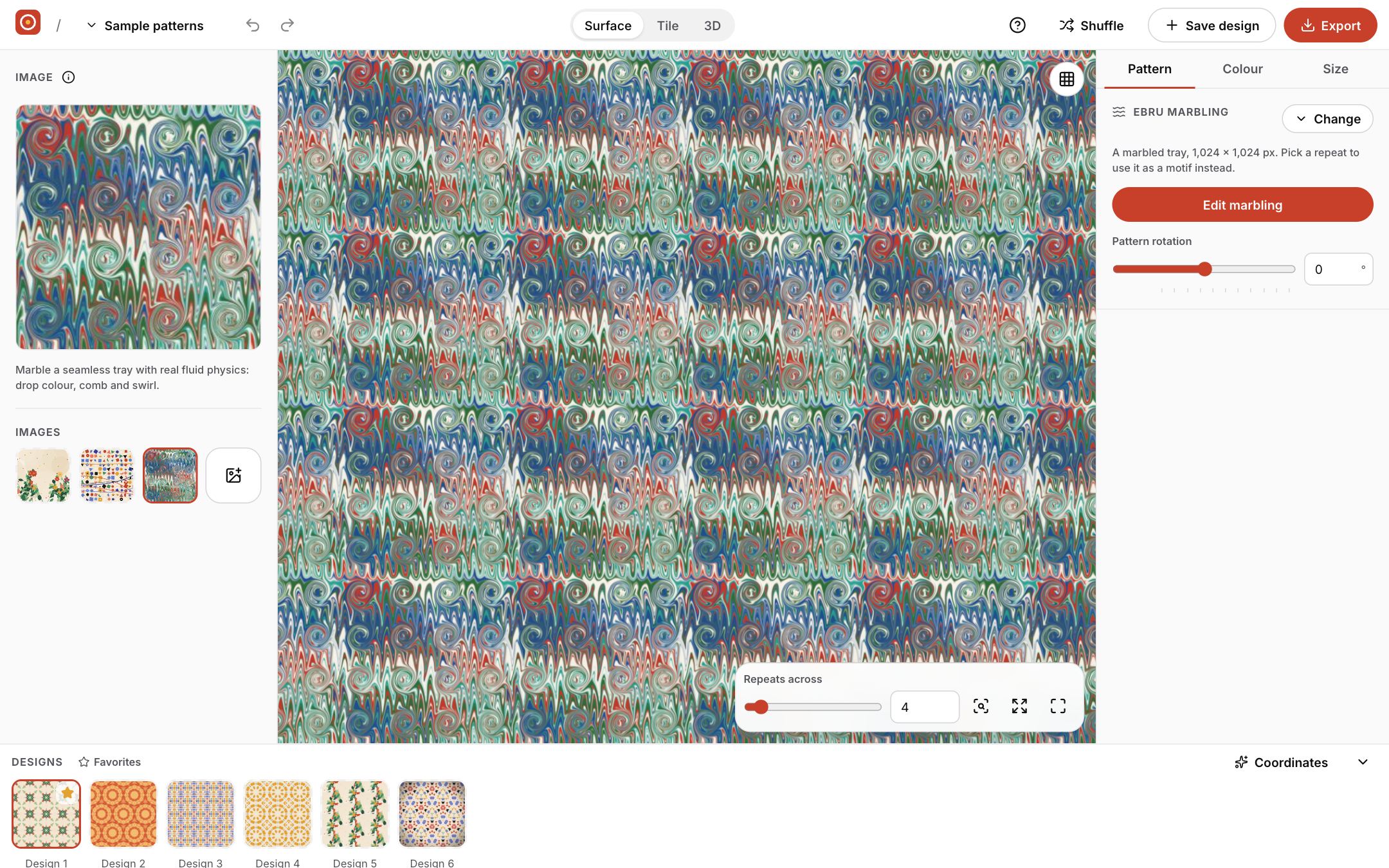
Marble a tray of water. Get a seamless tile.
Drop colour on a simulated bath and watch it spread and push the colours around it. Comb it, swirl it, draw through it with a pen. It is real fluid physics, not a filter, and the tray wraps at its edges, so whatever you make repeats without a seam.
- Drop, sprinkle, stylus, comb and swirl; pen pressure and tilt widen the tool
- Classical patterns in one tap: Battal, Tide, Comb, Shawl, Nightingale’s nest, Hatip flower and more
- Layers with blend modes, marbling over your own photo, palettes or colours from a photo
- Trays up to 4,096 px, a video of the whole session, and every repeat, effect and export after
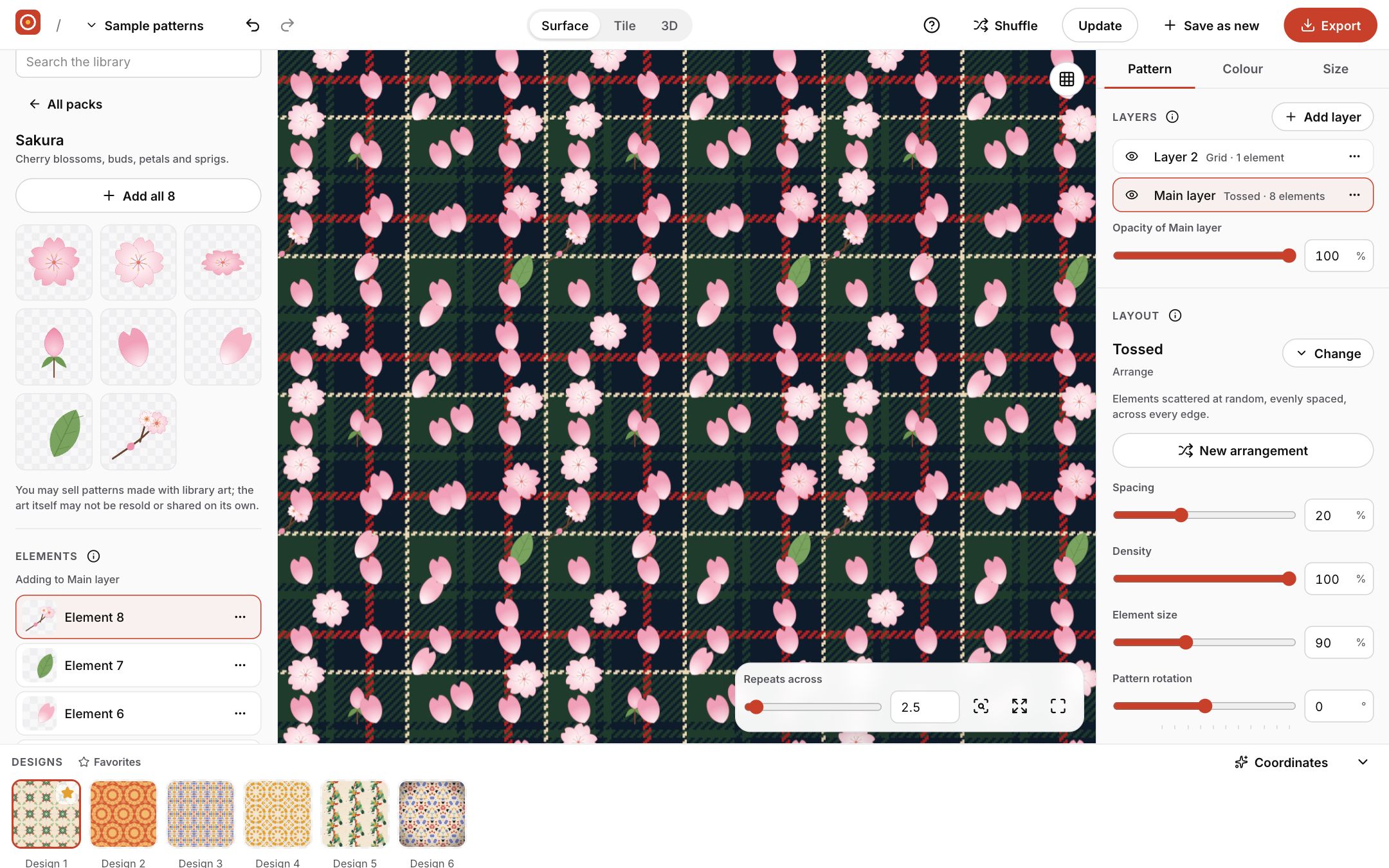
Plaids, tartans and traditional patterns.
Put your motifs over stripes and checks, Japanese patterns or a woven plaid you build stripe by stripe.
- Plaid and tartan builder: gingham, buffalo check, madras, tartan-style, windowpane
- Stripes in threads, the same or different both ways, twill or plain weave
- Shippo, seigaiha, asanoha, kikkō and yagasuri, all seamless
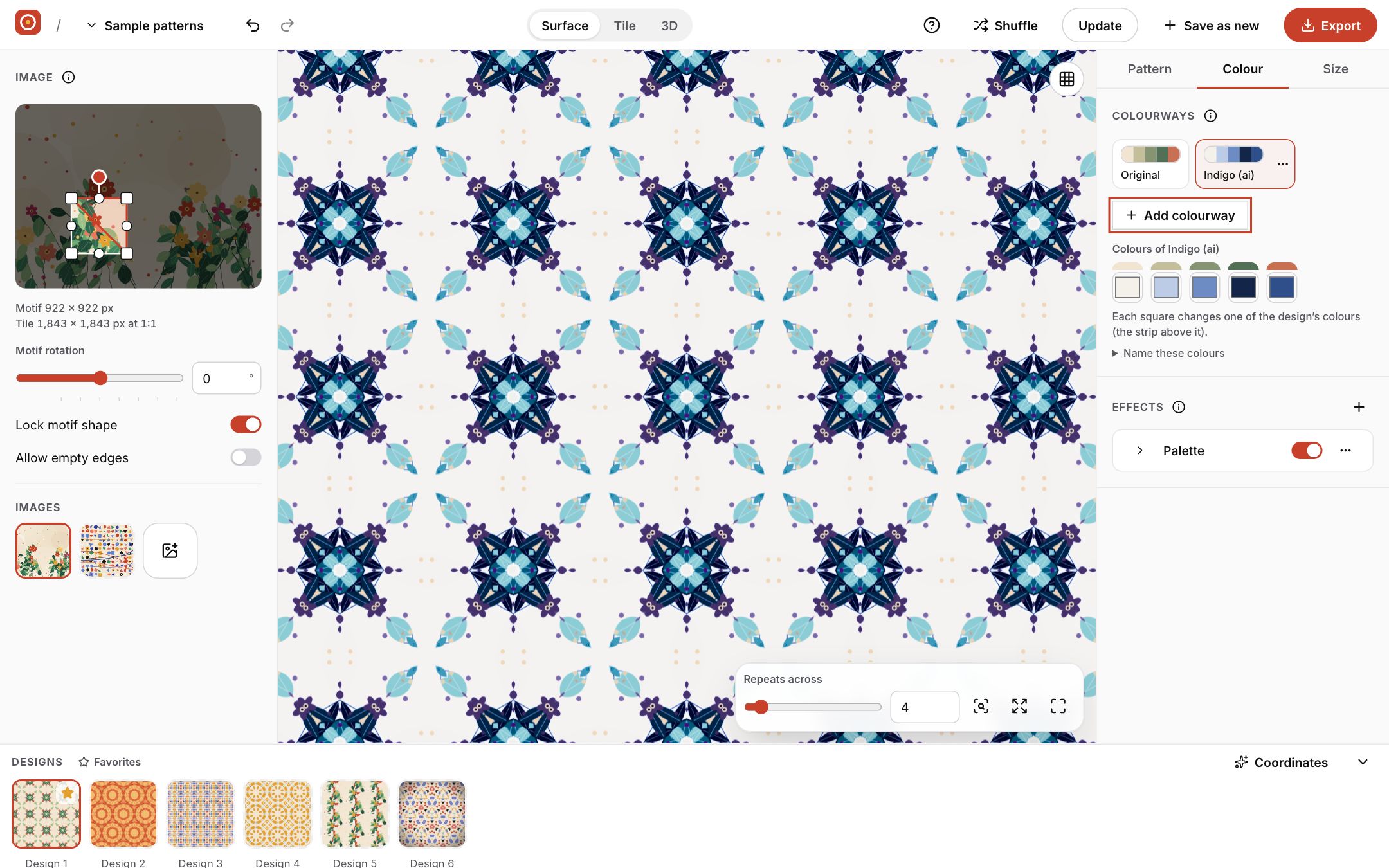
One design. Every colourway.
Make navy, blush and sage versions of the same design and switch between them in a click. Exports and spec sheets can include them all.
- Start from your colours or from a palette such as Sakura, Indigo or Matcha
- Change any colour of any colourway; name your colours with your own codes
- Export every colourway as its own file, with a preview sheet
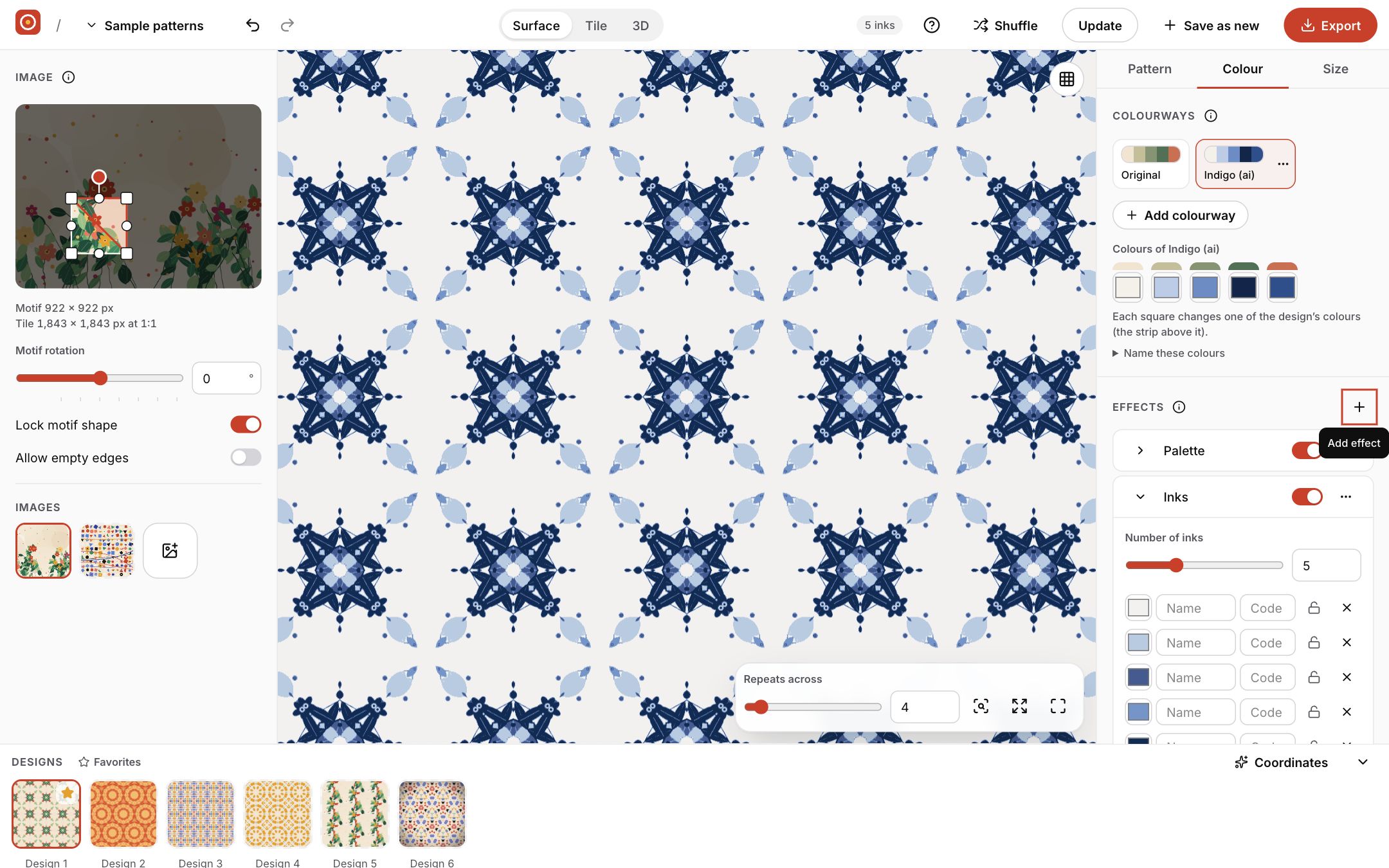
Ready for screens and rollers.
Reduce a design to a fixed number of solid inks and get one file per screen, sized and at the resolution your printer asked for.
- 2 to 12 inks picked from your design; lock the ones you want to keep
- Hard edges for screens, or smooth edges for digital
- Separations: one black-on-white file per ink, a composite and the ink list
Real sizes, on real fabric.
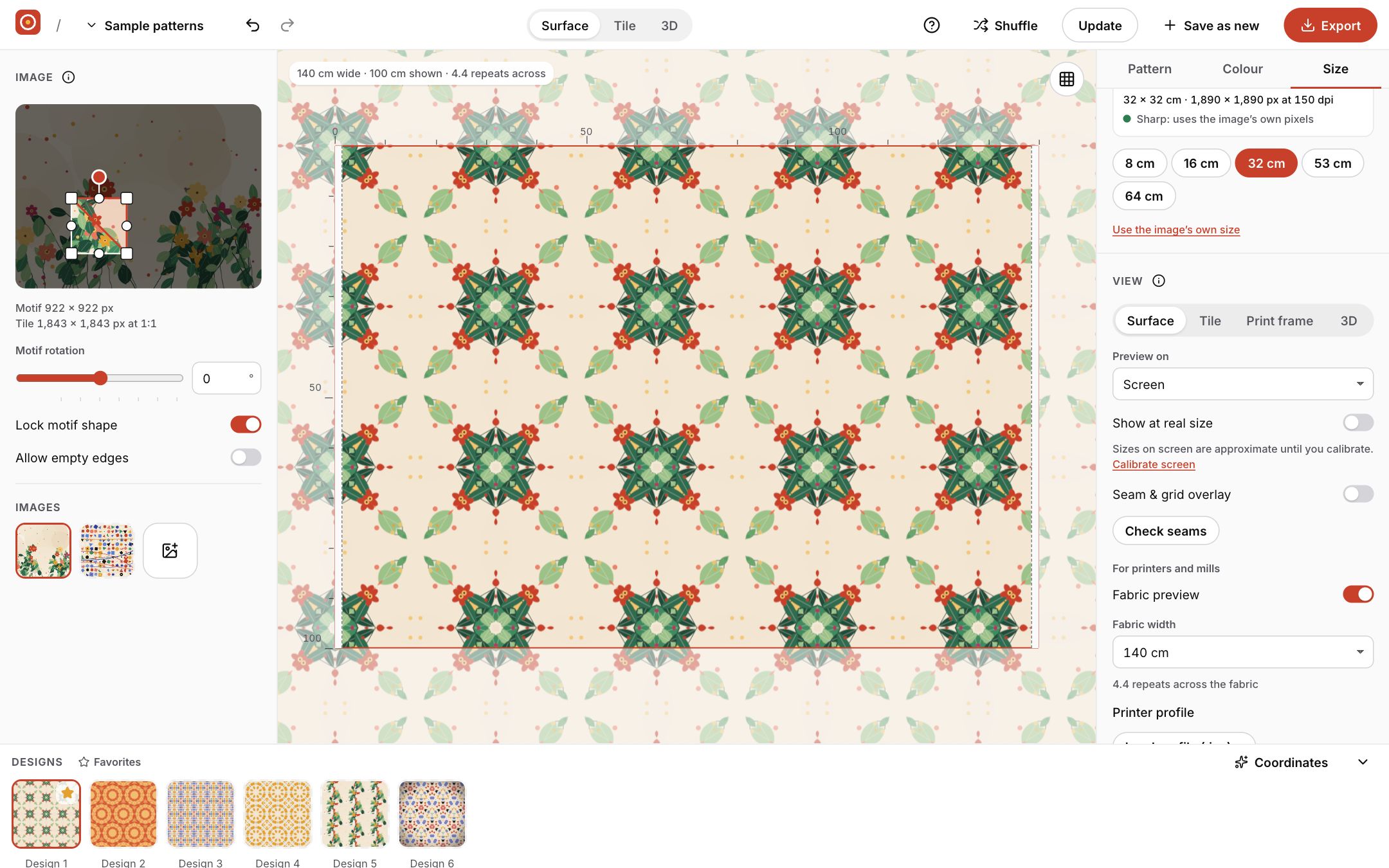
Set the repeat in centimetres or inches and see it on a 140 cm bolt, at real size on your screen, or as it might look printed on cotton.
- Repeat size with dpi and a sharpness check; common wallpaper and fabric repeats
- Fabric preview with rulers and selvedges; real size with screen calibration
- Preview on cotton, polyester, linen or matte paper (approximate, never in your files)
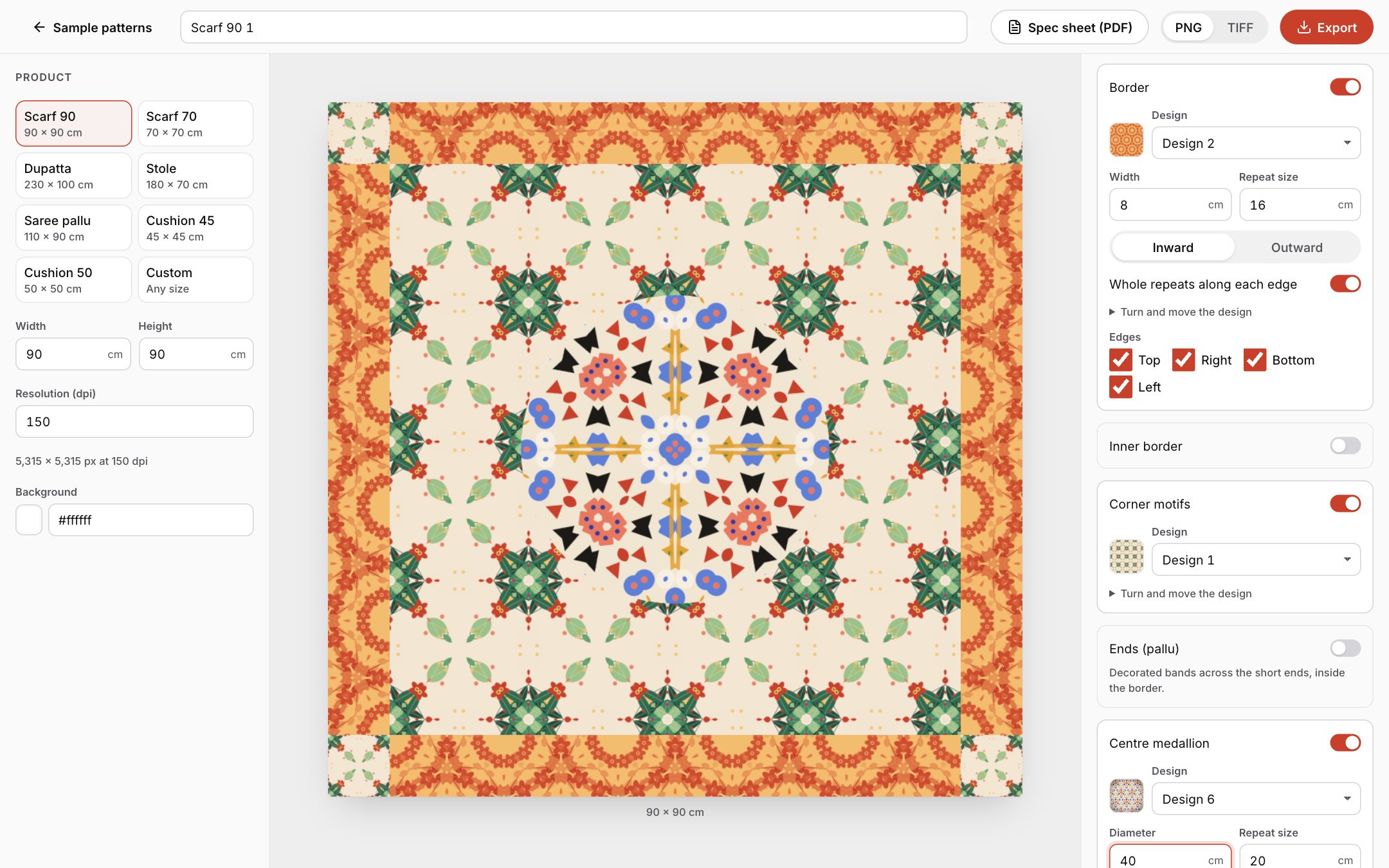
Scarves, dupattas and cushion panels.
Go beyond repeats: build a whole piece from your designs, with a field, borders, corners, decorated ends and a centre medallion, and export it at size.
- Scarf 90 and 70, dupatta, stole, saree pallu, cushion 45 and 50, or any size
- Borders that meet in mitres or corner squares, motifs facing in or out
- Medallions mirrored into 6, 8, 12 or 16 wedges, like a kaleidoscope
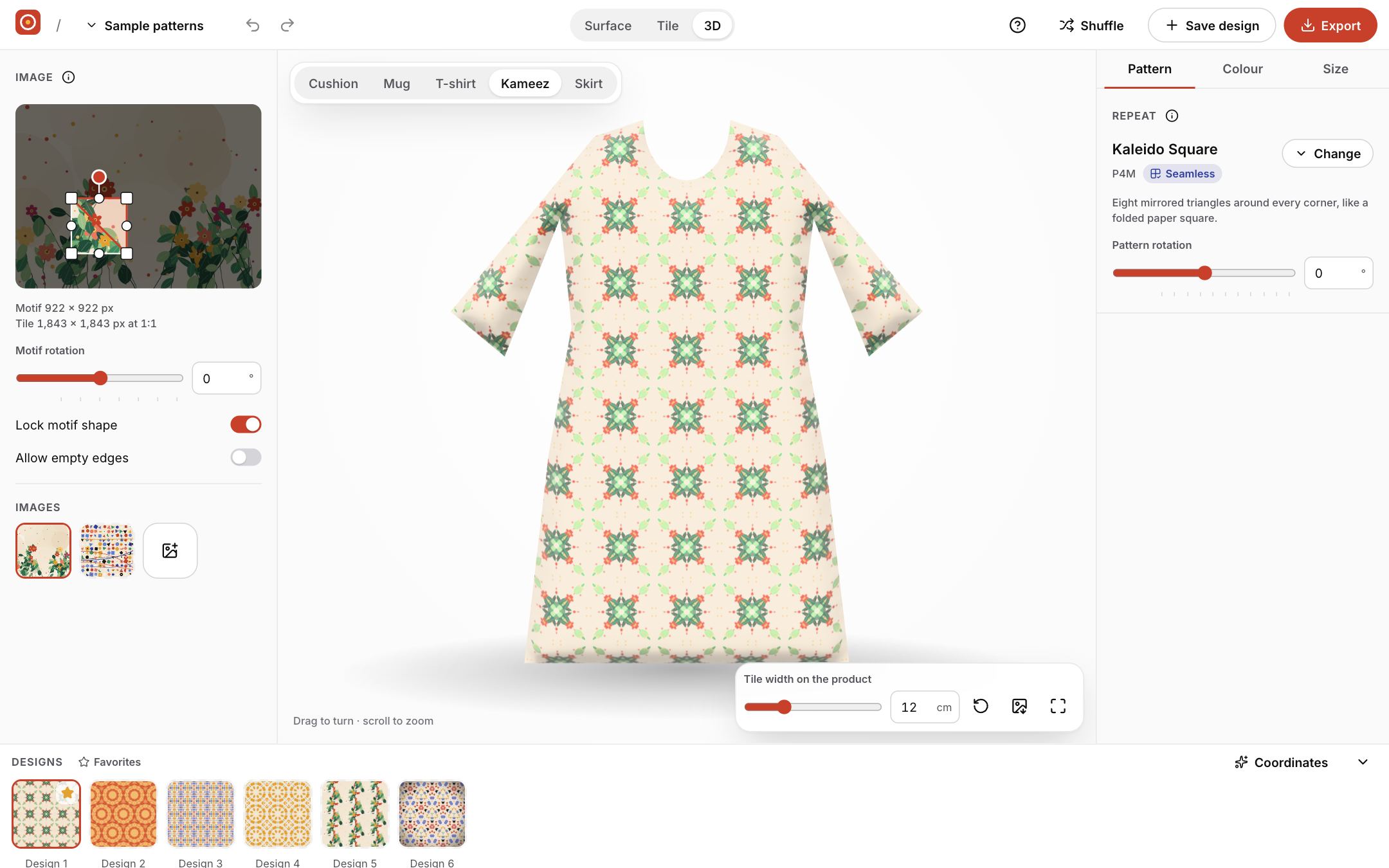
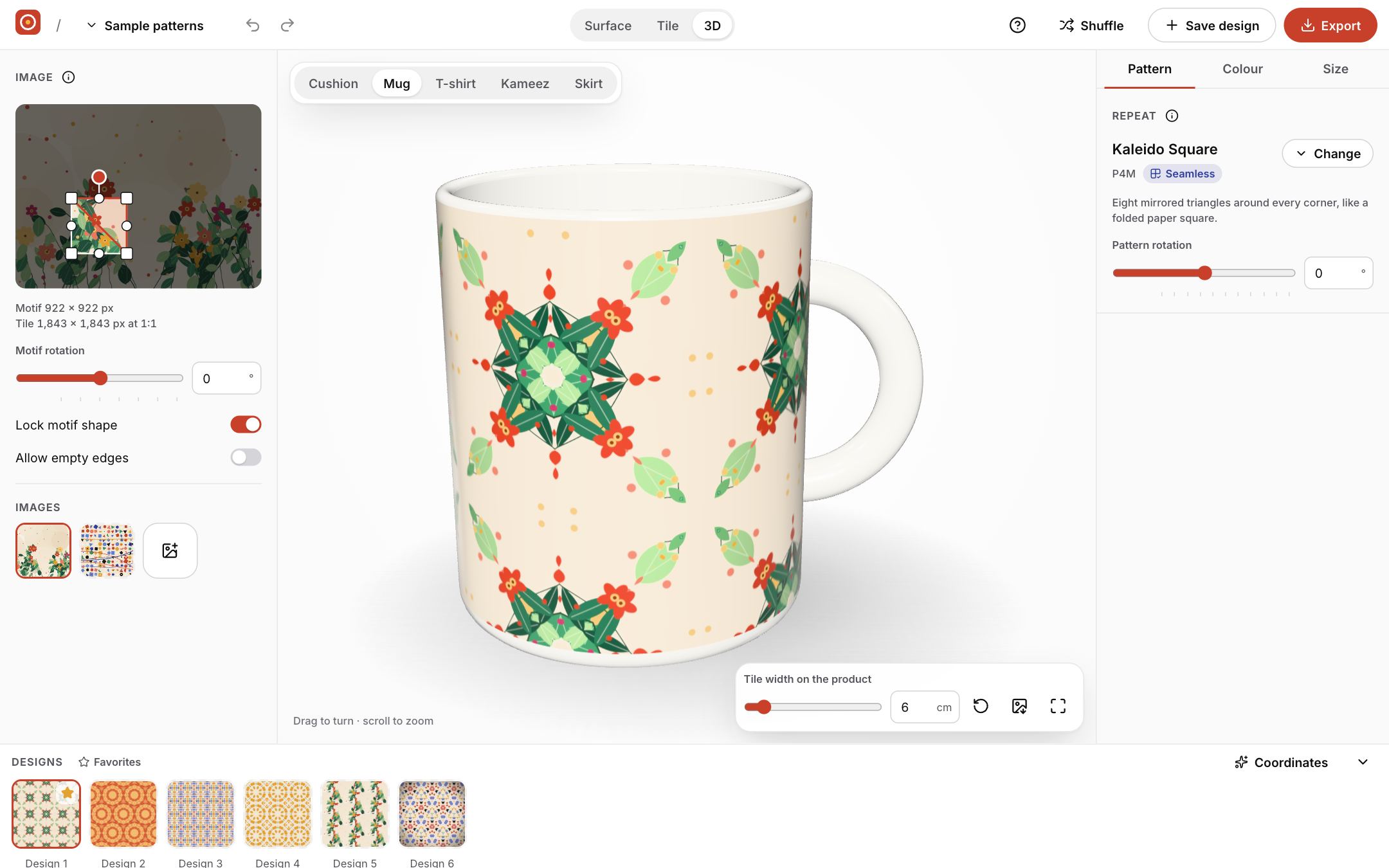
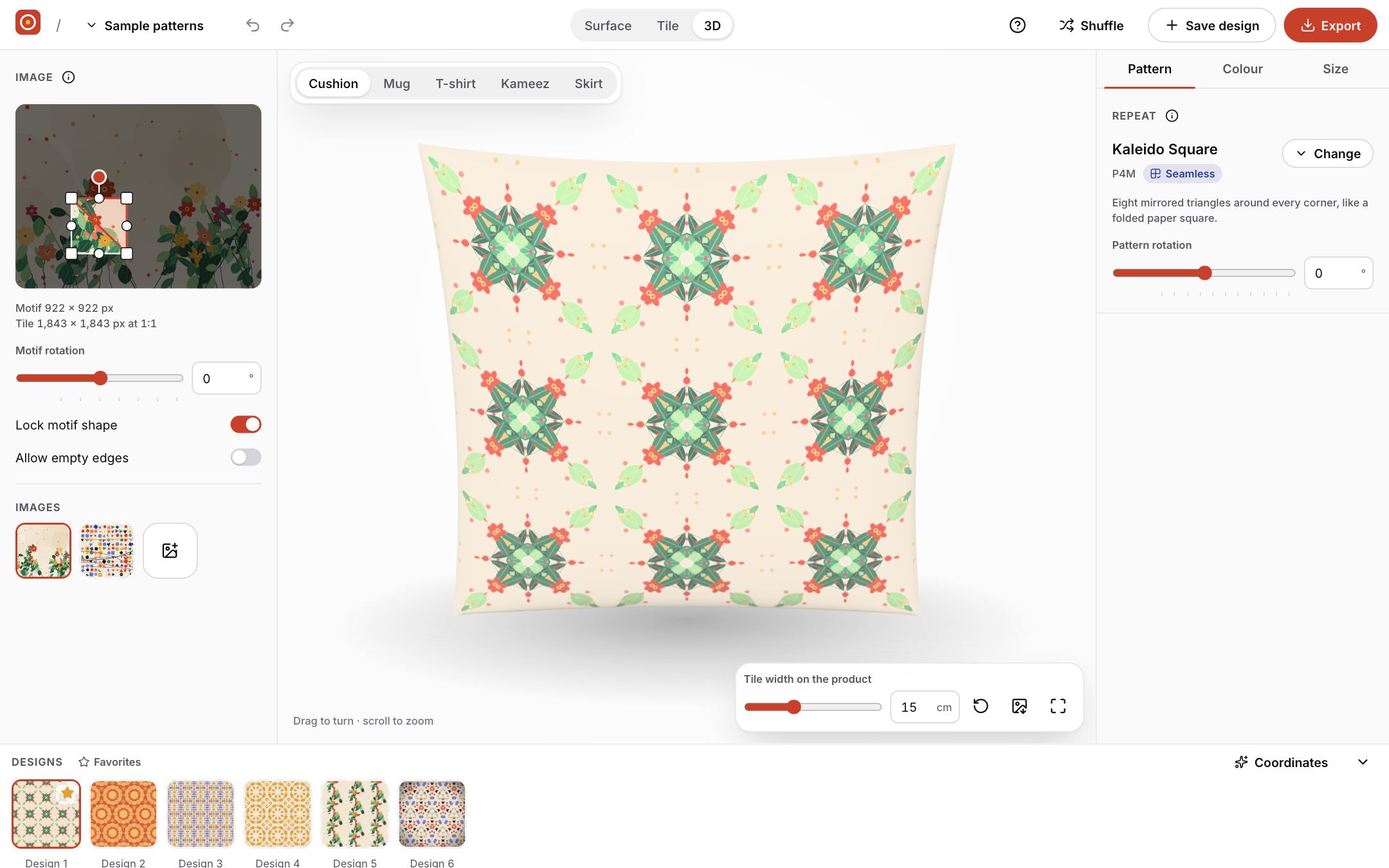
See it on the product before you print.
Put your pattern on a cushion, a mug, a T-shirt, a kameez or a skirt, turn it around and set the print size in centimetres or inches.
- Updates live as you change the motif, repeat or colours
- Real print scale: the tile width on the product
- Save a product image for your shop listing
From collection to listing in one place.
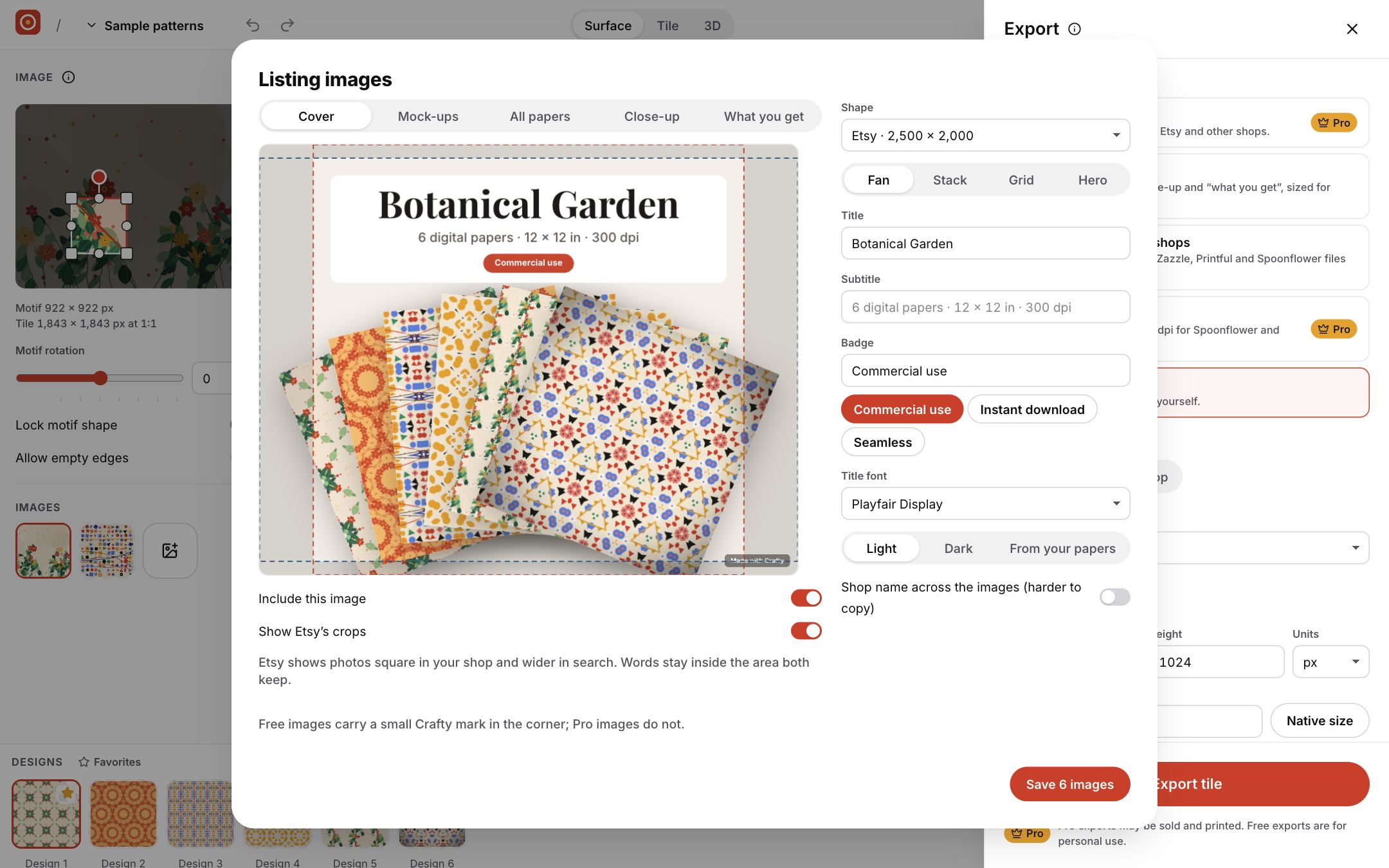
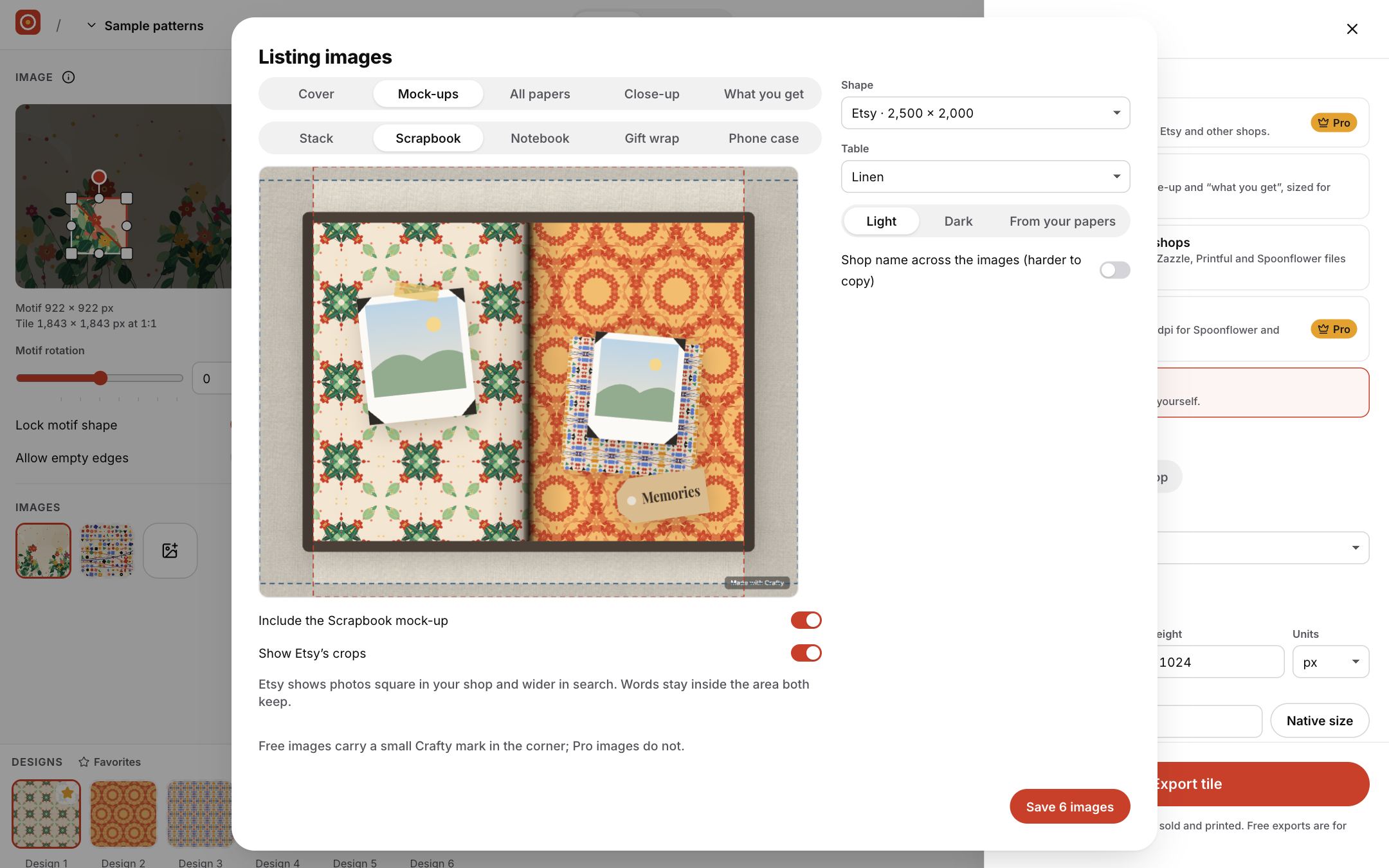
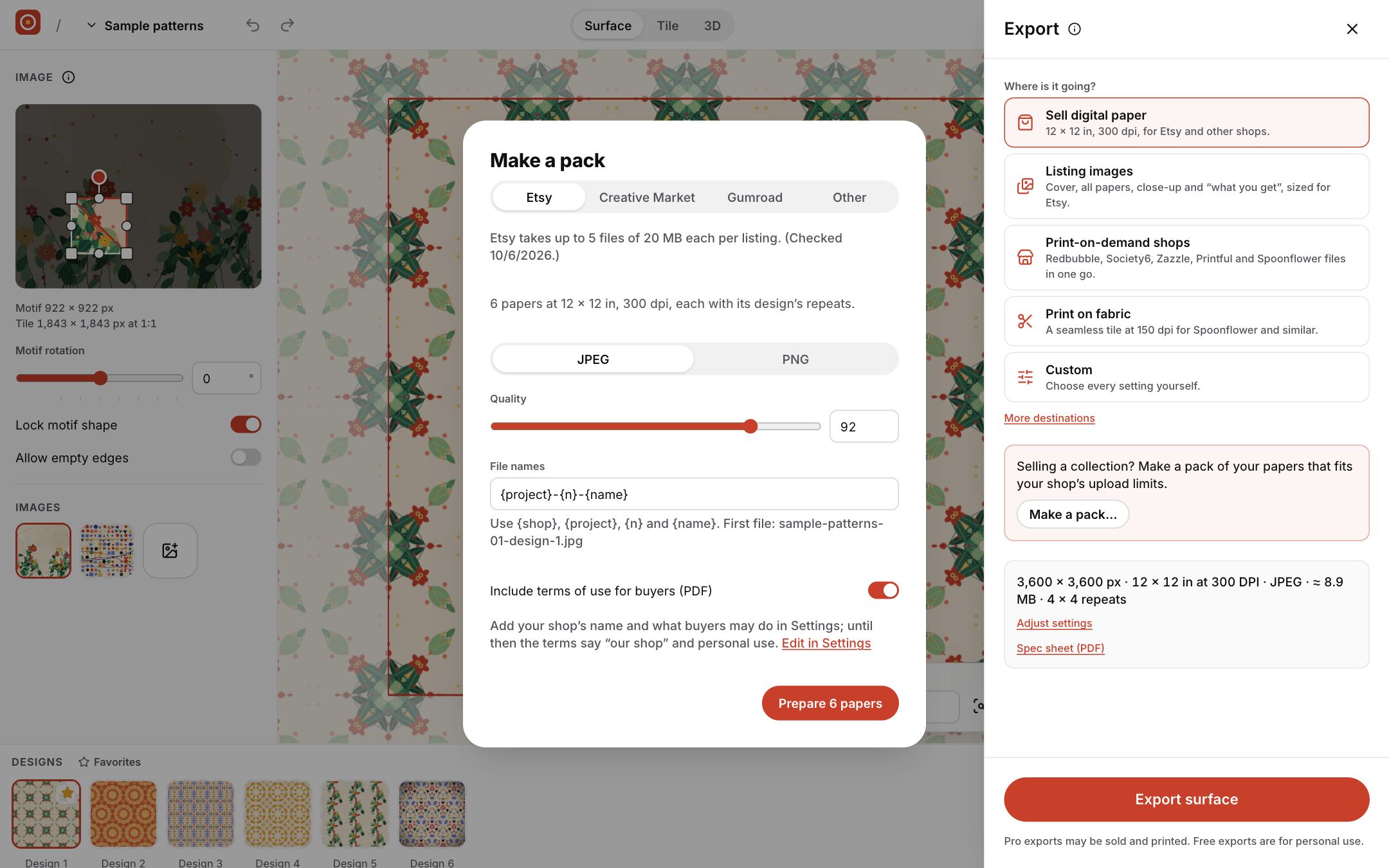
Make the pack, the photos and the terms for your buyers without leaving Crafty, sized for the shop you sell in.
- Packs split to fit Etsy’s 5 files of 20 MB, with consistent names and a terms-of-use PDF
- Listing images: a titled cover, all papers, a close-up and “what you get”, inside Etsy’s crops
- Flat-lay mock-ups: a stack, a scrapbook, a notebook, gift wrap and phone cases
- Files for Redbubble, Society6, Zazzle, Printful and Spoonflower in one go
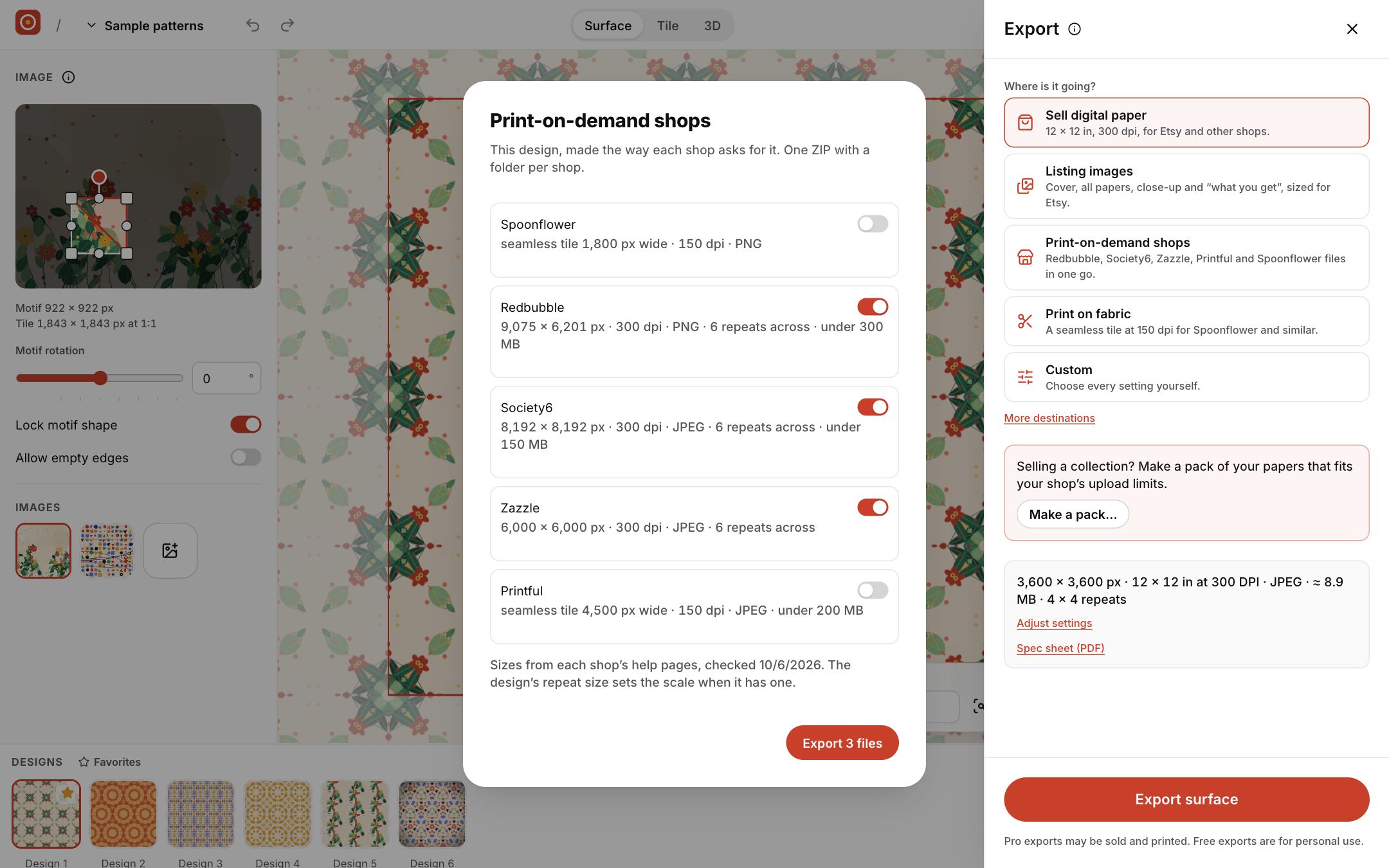
Print-ready, at any size.
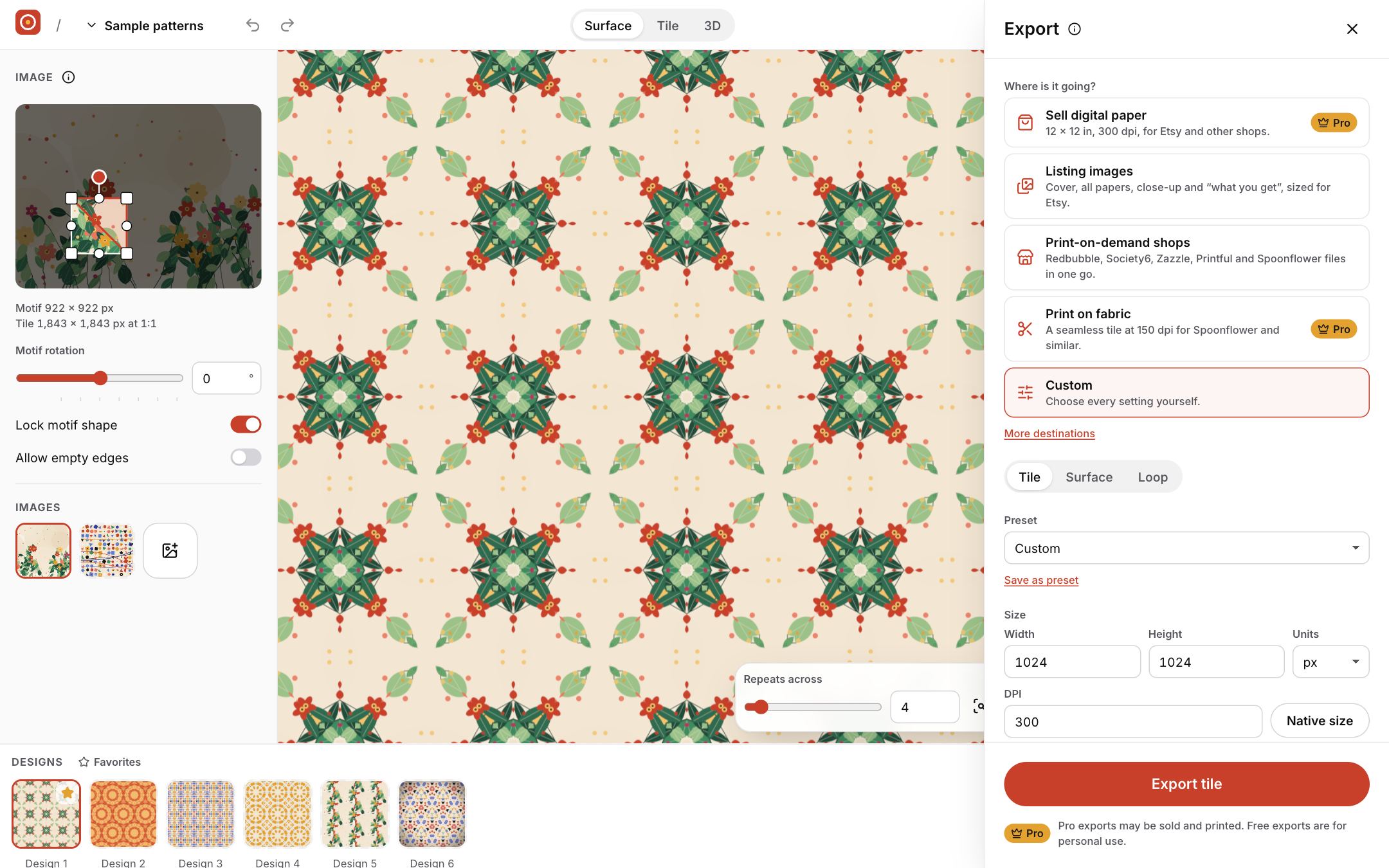
Tell Crafty where the file is going, and it fills in the size, resolution and format: Etsy, print-on-demand shops, fabric printers, mills, social posts or screens.
- PNG, JPEG, TIFF, layered PSD and SVG, up to 16,384 px with Crafty Pro, DPI and sRGB profile in the file
- See your colours through your printer’s ICC profile before you print
- Spec sheets (PDF) in any language, with the repeat, size, colours and your notes
- Batch export of many designs or colourways in one ZIP, with a preview sheet
Two drawings. Endless patterns.
Each square is a single tile exported by Crafty, repeated by your browser. No edges to fix, at any size.
Made for pattern makers.
Surface designers, print-on-demand sellers, crafters and quilters: everything you need to go from idea to file.
See every featureSeamless, guaranteed
Every repeat is labelled. Seamless tiles match to the pixel at their edges, whatever the image, textures and plaids included.
Effects and colour
Palette, gradient maps, halftone, posterize, vignette and more, applied after the repeat and always undoable.
Motif library
Ready-cut packs such as Sakura, plus built-in blossom and petal shapes, to arrange in a click.
Fabric and paper textures
Linen, canvas, twill, watercolour paper and kraft, seamless with the tile. Or keep them for mock-ups only.
Shuffle and coordinates
Shuffle proposes variations; Coordinates makes seven matching designs from your colours for a collection.
Projects and designs
Keep many designs per project, favourite the best and export them all at once, with a preview sheet.
Offline and in sync
Work without an account or a connection, or sign in to keep your projects in sync across your devices.
Ebru marbling
Drop, comb and swirl colour on a simulated bath, with the classical Turkish patterns in a tap. Always seamless.
Loops with music
Seamless MP4 and GIF loops up to 60 seconds, with your own music, for listings and social posts.
Your images.
Endless repeats.
Nothing is generated: Crafty works only with your own images, so what you make is yours to sell.